
Reviewed · TOKYO TOURS
Unlimited WiFi Router – Haneda Airport (Tokyo) Pickup
Arrive connected, not confused. This Haneda pickup gives you a 4G LTE WiFi router as soon as you land, plus a power bank, USB cable, adapter, and carrying pouch. I like the easy airport collection and the ability to connect several devices at once, especially for maps, messages, and family travel. The main caution is the high-speed limit of 3GB per day and the conflicting device information, with some details saying 10 devices and others saying 5.
The router costs about $14.48 per person, with rental periods from 3 to 30 days and service available for up to 90 days. I also like that Terminal 3 has a late return box, but finding the counter may take patience because the signage can be easy to miss and English service may be limited at busy times.
In This Review
- Key points to know before pickup
- Landing at Haneda with internet already arranged
- Finding the NINJA WiFi counter at Terminal 3
- Terminal 2 pickup, return, and opening hours
- What comes in the router kit
- Unlimited data with a 3GB daily high-speed limit
- A useful connection for Tokyo days
- Pickup service, language, and waiting time
- Returning the router without airport confusion
- Is $14.48 a good deal?
- Who should book this Haneda router?
- Cancellation and booking timing
- Should you book the Haneda NINJA WiFi router?
- FAQ
- Where do I pick up the router at Haneda Airport?
- What are the Terminal 3 pickup hours?
- What are the Terminal 2 pickup hours?
- Can I return the router at Terminal 3 overnight?
- Where do I return the router at Terminal 2?
- Is the WiFi service truly unlimited?
- How many devices can connect to the router?
- What is included with the rental?
- Do I need my passport at pickup?
- Can I cancel for a refund?
Key points to know before pickup

- Haneda Terminal 3 pickup: Collect the router at the 2F Arrivals Lobby Global WiFi x NINJA WiFi counter from 6:30am to 11:45pm.
- Terminal 2 option: Pick up and return at the 2F J WiFi & Mobile x Global WiFi counter from 6:00am to 11:00pm.
- 3GB of high-speed data daily: The service is described as unlimited, but high-speed use is limited to 3GB per day.
- Several devices can share one router: The information allows up to 10 devices in one place, while the operating details say up to 5 at once. Confirm the limit when collecting it.
- Power bank included: The kit includes a router, charger cable, adapter, pouch, and power bank, useful during long days away from your hotel.
- Free cancellation deadline: You can receive a full refund if you cancel at least 24 hours before the local start time.
Landing at Haneda with internet already arranged
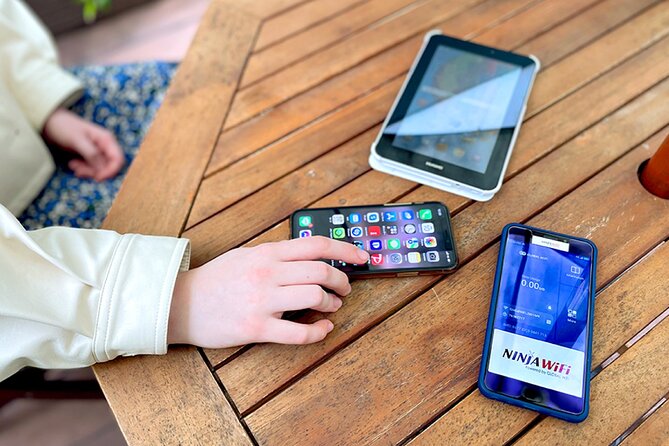
Airport WiFi is fine for a quick message, but it is not always the tool you want when you are standing beside a train machine with luggage in hand. A rented router gives you a private connection for checking Google Maps, sending messages, looking up train information, and staying in touch as soon as you leave arrivals.
That immediate connection is the main reason I see value here. You do not need to find a Japanese SIM card, change your phone settings, or depend on public WiFi. Show your reservation information and passport at the counter, collect the kit, and follow the instructions supplied with the device.
The service is intended for use throughout Japan. That makes it useful if Haneda is only your arrival point and you plan to visit more than Tokyo. You can keep the same connection while moving between cities, provided the rental period covers your trip.
The booking price starts at about $14.48 per person, but the actual value depends on the number of days and the number of people sharing the device. One router can be a sensible choice for a couple or family carrying several phones and tablets. If you are alone and already have an inexpensive roaming plan, the cost comparison becomes less convincing.
A few more options to weigh up in Tokyo
- Tokyo Disney Resort – Tokyo Disneyland & Tokyo DisneySea Park Tickets
★ 4.8 · 99,488 reviews - SHIBUYA SKY Ticket
★ 4.7 · 46,509 reviews - JR Whole Japan Rail Pass
★ 4.8 · 29,150 reviews
Finding the NINJA WiFi counter at Terminal 3
Terminal 3 is the most flexible pickup point because its counter operates until 11:45pm. Go to the 2F Arrivals Lobby and look for the Global WiFi x NINJA WiFi counter. The pickup area is outside airport security, so you can reach it after collecting your luggage and entering the public arrivals area.
The counter is open from 6:30am to 11:45pm. That covers most scheduled arrivals, but check your flight time carefully if you arrive near closing. A delay can matter. A late arrival after the counter closes requires using the return box arrangement only for returns, not for initial pickup.
The return box is at the JAL ABC counter in the same 2F Arrivals Lobby area and is available from 11:45pm to 6:30am. This detail is important because a map or instruction screen may point you toward the wrong place. The return point is described as being at the same general location as pickup, and the map has caused confusion for some customers.
I would save the counter names on your phone before leaving the plane. The signage may not be obvious from the arrivals area. Having a screenshot of the reservation and the words Global WiFi x NINJA WiFi can make the search quicker.
Terminal 2 pickup, return, and opening hours
If your flight uses Terminal 2, the process is more compact. The pickup, return, and return box are at the Terminal 2 2F J WiFi & Mobile x Global WiFi counter.
The Terminal 2 counter operates from 6:00am to 11:00pm. Unlike Terminal 3, the supplied information does not give a separate overnight return schedule for Terminal 2. If you have an early departure or a very late flight, check the counter timing before you book your rental.
The counter is also outside security. You can return the router after reaching the public area, but you should not assume you can hand it over after passing through the departure checkpoint. Plan to return it before security and allow a few extra minutes for the handoff.
Terminal 2 and Terminal 3 are separate airport areas, so verify which terminal you need. The pickup location is not a general Haneda airport desk that works equally for every flight.
What comes in the router kit

The package includes the WiFi router, a USB cable, an adapter, a WiFi pouch, and a power bank. That is a practical set for a full day of sightseeing, since the router does not need to compete with your phone for charging equipment.
Battery performance can vary with use, signal, and the number of connected devices. One customer found the device lasted through the day without charging, but you should still carry the included power bank. It is especially useful if you are using maps often, watching videos, or sharing the connection among several phones.
Keep all pieces together in the pouch. The cable and adapter are small enough to disappear into a suitcase, and returning an incomplete set could create an avoidable problem. The supplied information does not specify replacement charges, so do not treat the accessories as disposable.
The router is designed to connect to several devices. One part of the service information says up to 10 devices, while the operating description says up to 5 devices at once. That contradiction is worth resolving at pickup. For a small group, the practical limit may be enough, but a larger family should not assume every phone, tablet, and laptop can connect at the same time.
A completely different kind of day out:
- Mt Fuji and Hakone 1-Day Bus Tour Return by Bullet Train
★ 5.0 · 26,383 reviews - TOKYO SKYTREE® Ticket
★ 4.7 · 25,136 reviews - teamLab Borderless Tickets: MORI Building DIGITAL ART MUSEUM
★ 4.7 · 24,126 reviews - teamLab Planets TOKYO Ticket
★ 4.7 · 21,663 reviews
Unlimited data with a 3GB daily high-speed limit
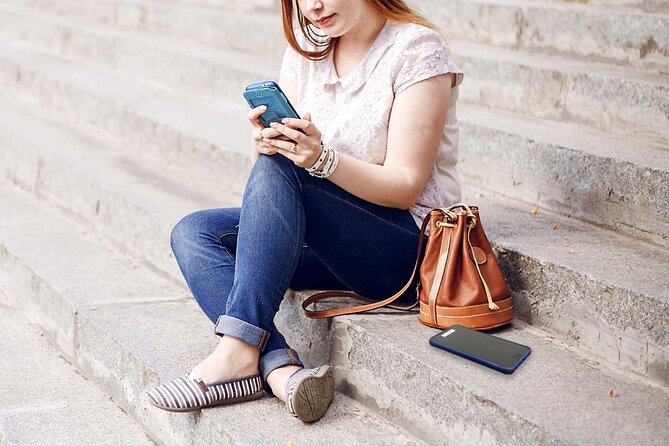
The word unlimited needs a close look. High-speed data is limited to 3GB per day. After that allowance, the connection may continue at a reduced speed or under different conditions, but the supplied information does not state the slower speed or exact reset policy.
For normal sightseeing, 3GB of high-speed use can go a long way. Maps, messages, email, social media, and occasional photo uploads are usually lighter than constant video use. The service specifically supports Google Maps, Facebook, Instagram, and YouTube, but watching a great deal of video can consume the daily allowance quickly.
This matters more when several people share one router. Five connected phones using maps and social media may be fine. Several people streaming YouTube at once could use 3GB much faster than one person checking directions.
I would use the router mainly for navigation, translation, reservations, messages, and moderate browsing. Download large files and entertainment before leaving home or your hotel when possible. If your group needs heavy streaming every day, do not treat this as unlimited high-speed service.
The connection uses 4G LTE. That is suitable for ordinary mobile internet tasks, though connection quality can vary by location and network conditions. The information promises access throughout Japan, but it does not guarantee identical performance in every place.
A useful connection for Tokyo days

The value of a portable router becomes clear when you are moving around Tokyo. You can check directions while walking, look up transit information, and keep your group in contact without searching for a cafe or station WiFi.
It is also handy for families. One person can use maps while another checks messages, and you can keep a tablet or second phone connected. The included power bank adds a little insurance during long days at attractions such as the Disney parks, where the connection has worked well for some users.
The router is not magic. You must carry it, keep it charged, and remember to return it. A phone with a strong international data plan may be simpler for a solo visitor. For a group, the shared connection often makes more financial sense.
I would also avoid placing the router deep inside a packed bag. Keep it where the group can reach it, but protect it in the supplied pouch. The information does not provide detailed instructions on the ideal carrying position, so basic care is sensible.
Pickup service, language, and waiting time

The pickup process can be quick. Have your reservation form ready, along with your passport. One customer collected the router promptly after showing both and received operating instructions at the counter.
Still, service speed is not guaranteed. A printed reservation email may not immediately solve the problem if staff cannot locate the booking. One customer waited more than 15 minutes even with the email in hand, and English ability at the counter was described as limited.
That does not make the service unusable, but it changes how you should approach pickup. Arrive with the booking confirmation open or printed, keep your passport available, and do not schedule a tight train connection immediately after landing. Airport staff may need time to find the reservation or explain the device.
The supplied information also notes that the experience has a maximum of 10 participants, though this is not a guided group activity. The small booking limit does not mean you will receive personal technical support throughout Japan. The counter handles collection and instructions, then you manage the router yourself.
Returning the router without airport confusion

Return planning deserves as much attention as pickup. At Terminal 3, use the JAL ABC counter return box in the 2F Arrivals Lobby during the overnight hours listed above, or confirm the staffed counter arrangement during opening hours.
The return map has been confusing. The practical advice is simple: do not rely only on the map marker. Check the counter names and terminal information, and return the device at the same general airport counter area where the rental is handled.
At Terminal 2, the J WiFi & Mobile x Global WiFi counter handles pickup and return, with the listed hours of 6:00am to 11:00pm. Since the return arrangement is different from Terminal 3, check your terminal before your departure day.
Build return time into your airport plan. You are responsible for getting the router back, and a missed return can become expensive or stressful. The information specifically says refunds are not provided if you fail to collect the router, so do not book it casually and assume you can simply skip pickup.
Is $14.48 a good deal?
At $14.48 per person, this is a reasonable convenience purchase if you need data for several days and can share one device. The included power bank and accessories improve the value, and airport pickup means you do not have to wait for delivery to a hotel.
The price is less attractive for someone who already has dependable roaming data. In that case, the rental adds another device to carry and another return task. You should compare the total rental cost with your phone carrier’s Japan plan before booking.
The daily 3GB high-speed allowance is the key value question. For maps, messages, social media, and light browsing, it should be practical. For constant video, large downloads, or many connected devices, the limit could become restrictive.
The rental period can range from 3 to 30 days, and the service is described as lasting for up to 90 days. Use the dates you actually need. There is no reason to pay for a longer period unless your plans require it.
Who should book this Haneda router?
I would recommend it most strongly to:
- Couples or families who want to share one connection.
- People who need maps and messages immediately after landing.
- Visitors moving around Japan for several days.
- Anyone who prefers a portable router to changing a SIM card.
- Groups visiting places where constant coordination matters.
I would be more cautious if you are traveling alone, use very little data, or already have a strong international phone plan. I would also think twice if your trip depends on heavy streaming, since the 3GB daily high-speed allowance may not suit that pattern.
The service is open to most people, and the booking is handled with a mobile ticket. Just remember that the counters are outside security, the terminal matters, and the device must be returned correctly.
Cancellation and booking timing
You can cancel for a full refund if you do so at least 24 hours before the local start time. Cancellations made less than 24 hours ahead are not refundable, and changes inside that same period are not accepted.
The experience is commonly booked about 24 days in advance. That does not guarantee availability or require you to book exactly that early, but arranging the router before departure gives you time to check the correct Haneda terminal and save the counter instructions.
Do not book it merely as a backup unless you are comfortable losing the payment if you do not collect it. No refund is provided for failing to pick up the router.
Should you book the Haneda NINJA WiFi router?
Book it if you want internet ready at the airport, plan to share one connection, and will use data for navigation and communication throughout Japan. The quick pickup, included power bank, and generally reliable connection make it a practical tool rather than a luxury.
Skip it if your phone already includes affordable Japan data or you need heavy high-speed streaming. Before paying, confirm whether your party needs five or 10 connected devices, note the 3GB daily high-speed limit, and save the exact counter name for your terminal.
For most small groups, this is a useful bit of arrival planning. Just allow time at the counter, keep your passport and booking confirmation ready, and return the router at the correct airport location.
FAQ
Where do I pick up the router at Haneda Airport?
At Terminal 3, pick it up at the 2F Arrivals Lobby Global WiFi x NINJA WiFi counter. At Terminal 2, use the 2F J WiFi & Mobile x Global WiFi counter.
What are the Terminal 3 pickup hours?
The Terminal 3 pickup counter operates from 6:30am to 11:45pm.
What are the Terminal 2 pickup hours?
The Terminal 2 counter operates from 6:00am to 11:00pm.
Can I return the router at Terminal 3 overnight?
Yes. The Terminal 3 return box is at the 2F Arrivals Lobby JAL ABC counter and operates from 11:45pm to 6:30am.
Where do I return the router at Terminal 2?
Return it at the Terminal 2, 2F J WiFi & Mobile x Global WiFi counter. The listed counter hours are 6:00am to 11:00pm.
Is the WiFi service truly unlimited?
The service is described as unlimited, but high-speed data is limited to 3GB per day. The supplied information does not state the speed after that daily allowance is used.
How many devices can connect to the router?
The information says the router can connect to up to 10 devices, while the operating details say up to 5 devices at once. Confirm the current limit when you collect it.
What is included with the rental?
You receive the WiFi router, USB cable, adapter, WiFi pouch, and power bank.
Do I need my passport at pickup?
Yes. Pickup instructions state that you should show your reservation form and passport.
Can I cancel for a refund?
Yes. You can receive a full refund if you cancel at least 24 hours before the experience start time. Cancellations and changes made less than 24 hours in advance are not accepted, and no refund is provided if you do not collect the router.
Just added in Tokyo
- Private homevisit for whole cultual experience, 20min from Tokyo★ 5.0 · 20 reviews
- Yanaka and Asakusa Walk around DOWNTOWN TOKYO like a local★ 5.0 · 36 reviews
- Yokohama/Kamakura Private Tour by Car- English speaking Driver★ 5.0 · 15 reviews
- Yanaka Historical Walking Tour in Tokyo’s Old Town★ 5.0 · 182 reviews
- Tokyo private transfer from/to Tokyo Ports★ 4.5 · 26 reviews
- 3-Hour Tokyo Pub Crawl Nightlife Welcome Guided Tour in Shibuya★ 5.0 · 209 reviews
- Official Japan Go-Kart Through Shibuya / Shinjuku (IDP Required)★ 5.0 · 92 reviews
- 2 Hours Mochi &Nerikiri Making & Matcha Class in Bunkyo★ 5.0 · 21 reviews
Tokyo Tours, compared.

Tokyo Disney Resort – Tokyo Disneyland & Tokyo DisneySea Park Tickets
Read our review →

Mt Fuji and Hakone 1-Day Bus Tour Return by Bullet Train
Read our review →

teamLab Borderless Tickets: MORI Building DIGITAL ART MUSEUM
Read our review →